Training on GPU
This page demonstrates GPU training with the Native submodule of CounterfactualTraining.jl.
Two Training Approaches
The package provides two training approaches that share the same counterfactual_training entry point (dispatch is based on the generator type):
Research branch (non-native): Uses
CounterfactualExplanations.jlstructs (GenericGenerator,CounterfactualExplanation) andTaijaParallel.parallelizefor per-sample counterfactual generation. Heavier and slower, but fully featured. Dispatched whengeneratoris not aNativeGenerator.Performance branch (
Nativesubmodule): A lightweight, batched, GPU-friendly generator (NativeGenerator) that operates directly onD×Nmatrices without allocatingCounterfactualExplanationobjects per sample. Much faster and GPU-compatible. Dispatched whengenerator isa NativeGenerator.
The Native branch was added as part of the performance optimization effort and is the recommended approach for most use cases.
Setup
using CounterfactualTraining
using CounterfactualTraining.Native
using CounterfactualExplanations
using Flux
using Plots
using Random
using MLDatasets

Random.seed!(42)
gr()
GPU Detection
The code below detects available GPU backends (CUDA or AMDGPU) and falls back to CPU if none is available. This makes the example runnable in any environment, including CI.
has_gpu = false
device = identity
try
    using CUDA
    if CUDA.functional()
        has_gpu = true
        device = Flux.gpu
    end
catch
    try
        using AMDGPU
        if AMDGPU.functional()
            has_gpu = true
            device = Flux.gpu
        end
    catch
    end
end

if has_gpu
    @info "GPU detected — training will run on GPU."
else
    @info "No GPU available — training will run on CPU."
end
Loading MNIST
We load MNIST via MLDatasets.jl, flatten the 28×28 images to 784-dimensional vectors, and normalize pixel values to [-1, 1]. A subset of 5,000 samples is used to keep the example fast.
train_data = MLDatasets.MNIST(; split=:train)
X = Float32.(reshape(train_data.features, 784, :)) .* 2f0 .- 1f0
y = train_data.targets .+ 1  # convert 0-9 labels to 1-10

idx = shuffle(1:size(X, 2))[1:5000]
X, y = X[:, idx], y[idx]

domain = [(-1.0f0, 1.0f0) for _ in 1:784]
y_onehot = Flux.onehotbatch(y, 1:10)
train_set = Flux.DataLoader((X, y_onehot); batchsize=128, shuffle=true)
Model
We use a “chunky” MLP with two hidden layers, suitable for demonstrating GPU acceleration:
model = Chain(
    Dense(784, 256, relu),
    Dense(256, 128, relu),
    Dense(128, 10)
)
Training
We train with FullObjective and NativeGenerator. The device keyword moves the model to the GPU when available; training data should already be on the device (the DataLoader handles batching).
gen = NativeGenerator()
obj = FullObjective()
opt_state = Flux.setup(Flux.Adam(1e-3), model)

model, log = counterfactual_training(
    obj, model, gen, train_set, opt_state;
    device=device, nepochs=5, maxiter=10, burnin=0.0f0,
    domain=domain, verbose=0
)
Counterfactual Visualization
We generate counterfactuals for a few test samples, targeting a different class, and visualize the original vs. counterfactual images side by side.
X_test = X[:, 1:5]
targets = fill(2, 5)  # target class 2 (digit 1)
data = CounterfactualData(X, y; domain=domain)
cfs, _, converged, _ = generate_counterfactuals!(model, X_test, targets, data, gen; maxiter=30)
p1 = heatmap(reshape(X_test[:, 1], 28, 28), title="Original", color=:grays, aspect_ratio=:equal)
p2 = heatmap(reshape(cfs[:, 1], 28, 28), title="Counterfactual", color=:grays, aspect_ratio=:equal)
plot(p1, p2, layout=(1, 2), legend=false)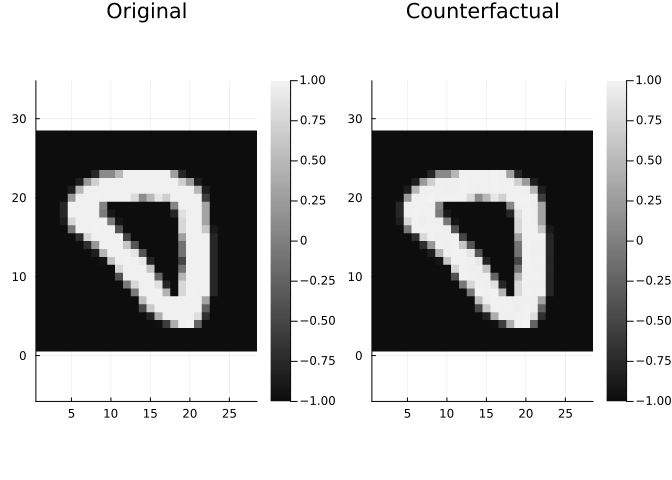
The counterfactual shows how the model would need the input to change to produce a different prediction. With counterfactual training, these changes should be plausible and respect the domain constraints of the pixel values.